Skip to content
Home
Projectors
Services
Videos
Firmware
User Manual
Tutorial
Forum
Contact
You are here:
Home
Project
VF71: Connected to Bluetooth
Prev
Previous
Next
Next
VF71: Connected to Bluetooth
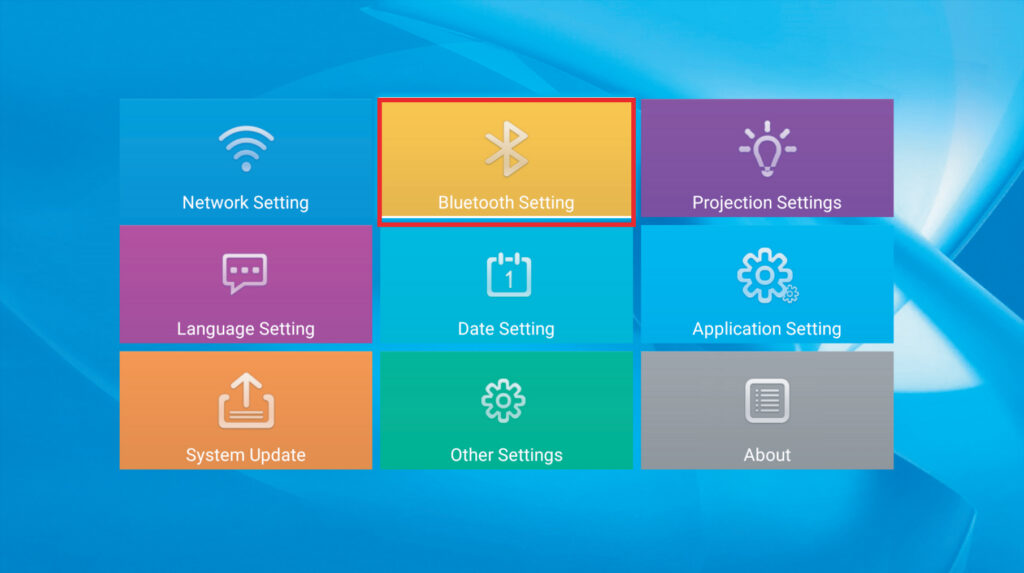
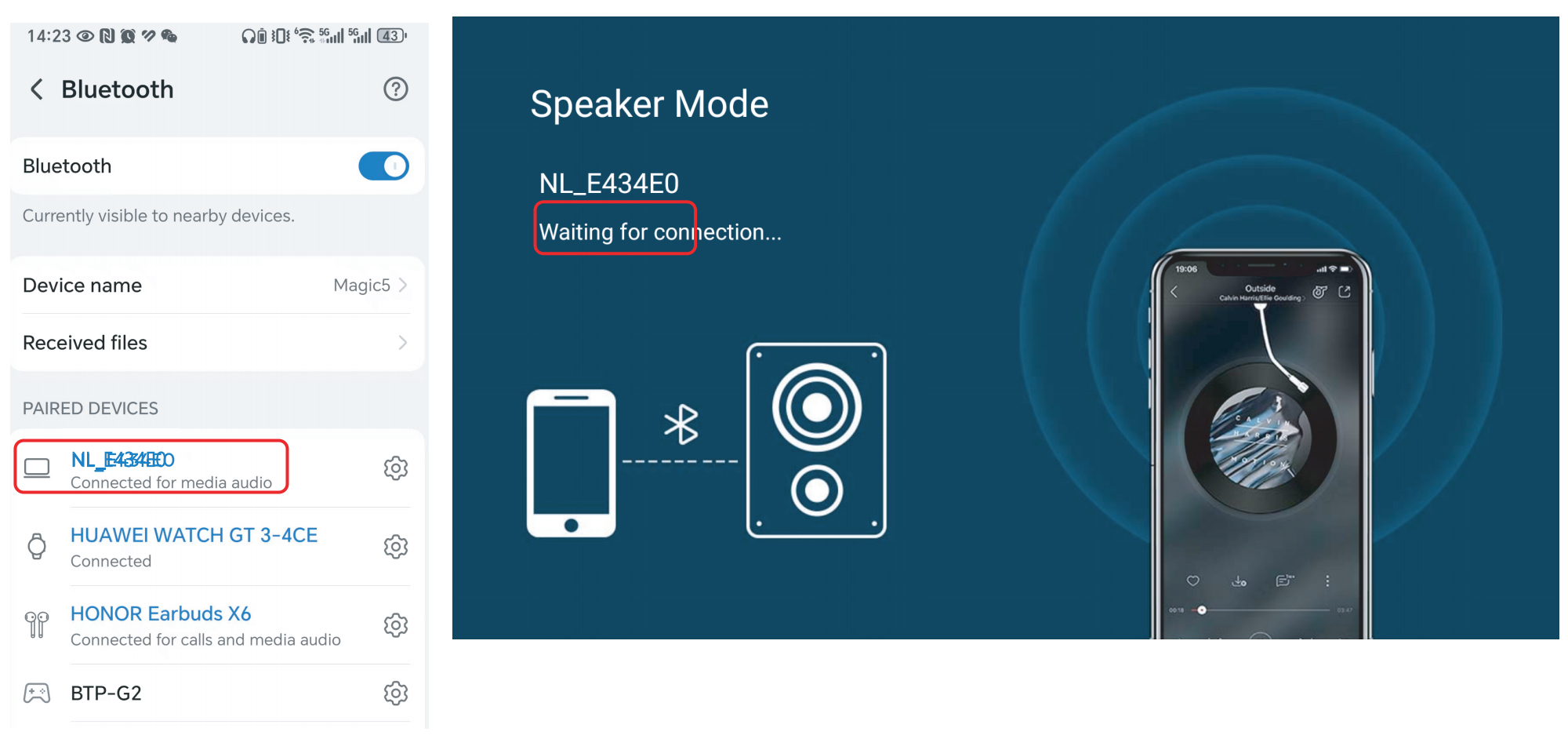
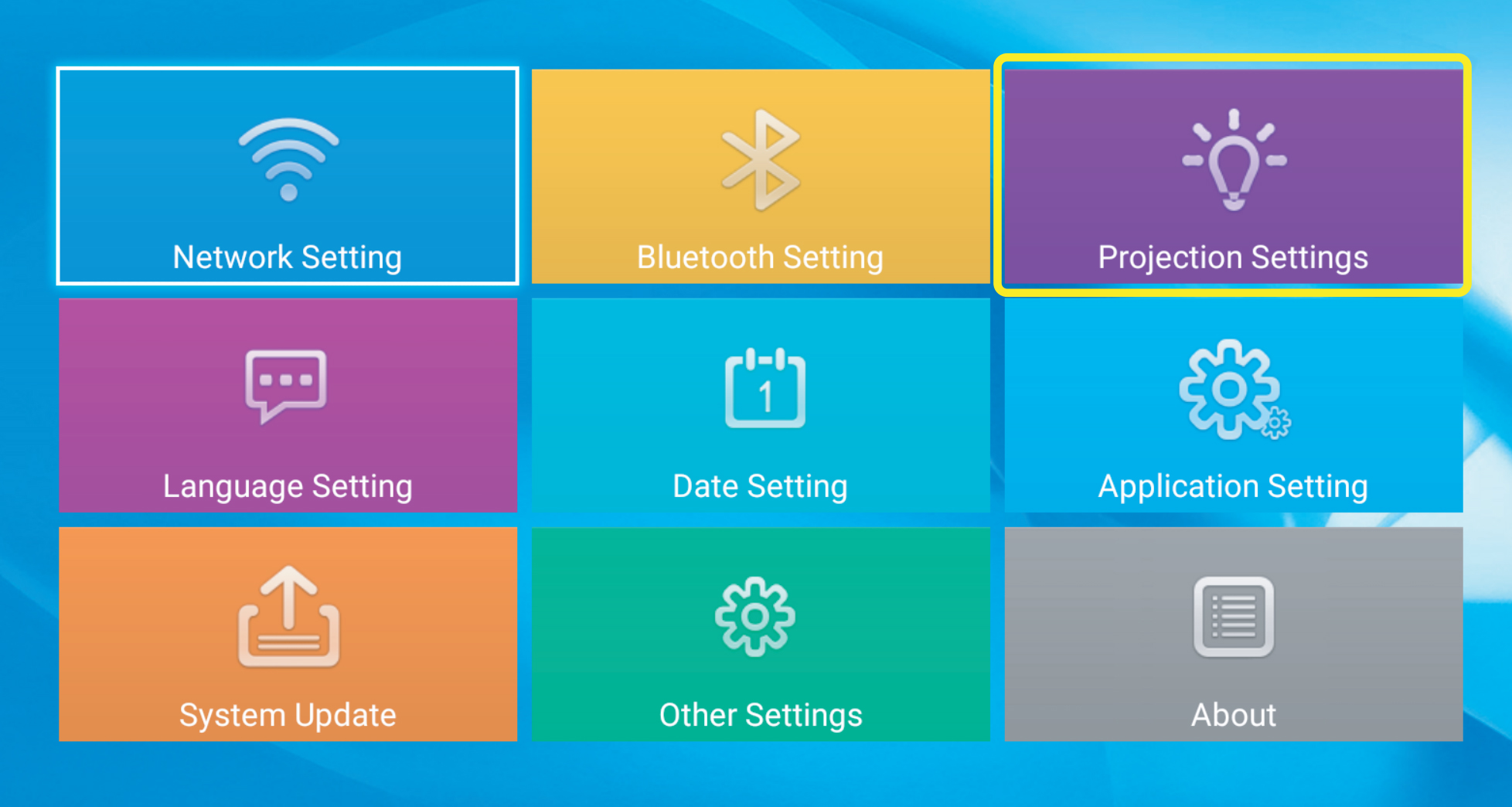
1, Press “Setting” button, clich [Bluetooth Setting].
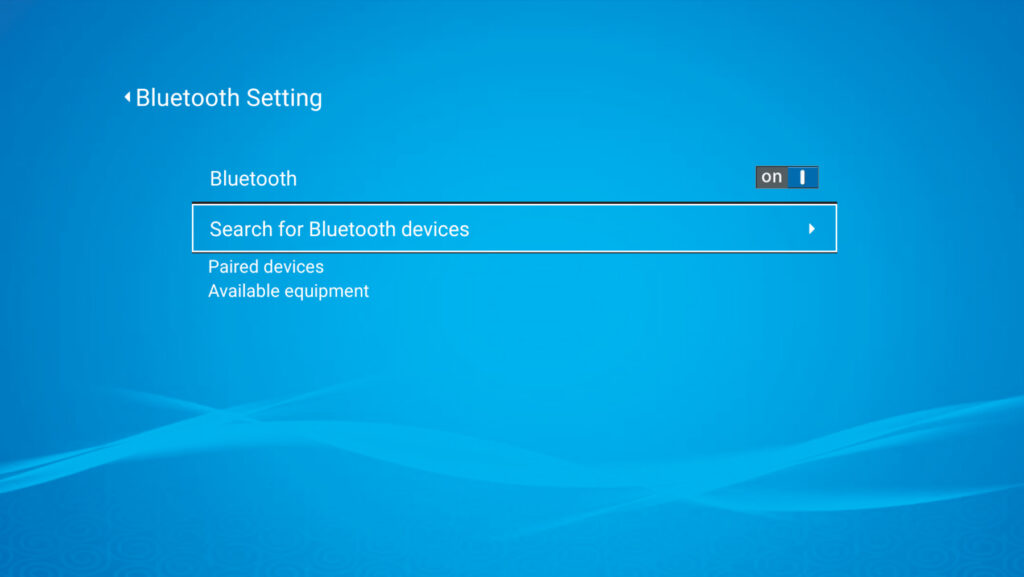
2, Search bluetooth device name and connect it .
Facebook
Twitter
LinkedIn
Related projects...
D10S
July 21, 2026
VF71: iPhone Screen Mirroring
July 1, 2026
VF71: Use as a bluetooth speaker
July 1, 2026
VF71: Connect to WIFI
July 1, 2026
VF71: Display Settings
July 1, 2026
VF71: How to choose installation mode
July 1, 2026
More projects
Go to Top